
PHP2Shell: What Small Businesses Must Do About the 2026 Flaws
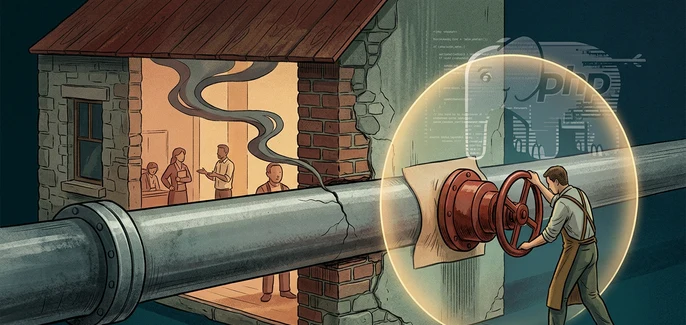
If your website runs PHP, the urgent question is not whether your application has a bug. It is whether the PHP runtime underneath it has been patched. Two critical flaws disclosed on 21 October 2026 can let an unauthenticated visitor run code on a vulnerable PHP web server, potentially before your site’s own code gets a chance to respond.
For a small business, that makes this an infrastructure problem as well as a web-development problem. Your first decision is whether to patch now, get your provider to act, or take an unsupported system offline.
What happened, in plain English
The PHP Foundation disclosed two remote code execution vulnerabilities, CVE-2026-109618 and CVE-2026-109619. Both have a CVSS score of 9.2. Remote code execution means an attacker may be able to make the server run their chosen commands. The flaws do not require the attacker to log in.
CVE-2026-109618 involves memory corruption during out-of-memory handling. In simple terms, PHP can mishandle memory when it is under pressure, creating an opening for an attacker. CVE-2026-109619 involves stale global state and a use-after-free condition between requests: information left in an unsafe state after one request can affect the handling of another.
The execution path matters. Apache mod_php is at the highest risk because a single unauthenticated request can trigger the flaw before any application code runs. That means a WordPress plugin update, a login page change or a code review of your theme cannot fix the underlying issue. PHP-FPM, php-cgi, FrankenPHP and LiteSpeed are also affected when serving web requests.
CISA had not observed successful exploitation in the wild at the time of publication, but proofs of concept are circulating. Treat that as a reason to patch promptly, not as evidence that waiting is safe. On 23 October, a third issue, CVE-2026-115560, was disclosed. It affects an unusual configuration that changes the session serialisation handler at runtime and is not yet fixed. The stated mitigation is to set session.upload_progress.enabled=0.
Check every place your business uses PHP
Start with every public website and web service, including WordPress sites and other PHP-based content management systems. The application brand does not protect you: it is the PHP runtime serving requests that needs attention.
Also check less visible systems. A hosting plan may manage PHP for you; a container image may bundle its own version; and a web application or deployment package may bring a runtime along with it. A PHP upgrade on one server does not automatically update a separately built container or a second website on the same account.
Fixed releases are PHP 8.5.12, 8.4.27, 8.3.36 and 8.2.35, released on 21 October 2026. PHP 8.1 and older have no official fix from the PHP project. If you cannot move to a fixed release, ask your vendor or long-term support provider whether it supplies a backport; plan a migration rather than assuming the old version will be covered indefinitely.
These vulnerabilities are serious, but a careful inventory is more useful than a rushed, blind change. Identify the runtime and who controls it, then patch the public-facing systems first.
Five steps to reduce exposure
- Inventory PHP versions and owners. List every site, server, container and managed hosting account that serves web requests. Record its PHP version, interface (such as Apache mod_php or PHP-FPM), whether it is internet-facing, and who can apply updates. Ask your developer or host if you cannot verify the runtime yourself.
- Patch exposed systems first. Upgrade public-facing installations to the fixed release in their supported branch: PHP 8.5.12, 8.4.27, 8.3.36 or 8.2.35. Prioritise Apache mod_php, but do not leave another affected interface unpatched simply because it is not your main site. Test the site’s essential flows after the update.
- Confirm the provider’s work. Ask your hosting company or managed service provider which PHP version is running, when the fix will be applied and whether it covers every site and container in your account. Get confirmation of the runtime version after the change. If the provider cannot give a clear answer, escalate or prepare to move the affected service.
- Restart workers and verify. Restart PHP workers and relevant web services as required by your deployment so that old processes do not keep running vulnerable code. Check the version actually serving requests, not only the version installed on disk. Re-test the site and keep a record of the change.
- Monitor, mitigate and remove what cannot be fixed. Watch for unexpected PHP processes spawning shells or downloading tools, and investigate unusual activity. A web application firewall can help block suspicious requests as a temporary stopgap, but it cannot reliably repair a flaw in the runtime. For CVE-2026-115560, disable session upload progress as advised while awaiting a fix. Take systems that cannot receive a suitable fix offline or restrict their access until they can be migrated.
Who should act now, and what are the limits?
Act now if you run a public PHP site, manage a server or container, or rely on a provider that has not confirmed its patch status. Small teams should assign one person to collect the inventory and another to contact the hosting provider or developer. The CISA and PHP Foundation advisories, alongside guidance from CERT-EU and the Canadian Centre for Cyber Security, are useful references for confirming the affected releases and response.
You can wait to schedule a broader application refactor if the immediate runtime patch is available and tested. Do not wait for a plugin vendor to publish a fix when the exposure is in PHP itself. If you are on PHP 8.1 or older, a vendor backport may be an interim measure, but its availability and coverage depend on that vendor. A WAF, traffic monitoring or a clean-looking site is not proof that the server is safe.
There is also a practical limit to monitoring: signs of suspicious child processes are useful evidence, but their absence does not prove nobody tried to exploit the server. Keep backups protected, preserve relevant logs and follow your incident response process if you find unexpected execution or downloads.
Presence Digital can help small teams map where PHP is running, coordinate a safe upgrade and make the resulting deployment easier to maintain. The immediate priority is still to identify every exposed runtime and confirm it is fixed or offline.
For operators and builders: patch the runtime, restart the workers, and verify what is actually serving requests. Your next action is to ask your host or web team for the PHP version on every public-facing site today.
Newsletter
New articles, in your inbox
One email when we publish. No digests and no product pitches. Unsubscribe any time. Privacy policy